
30 Days: Outbreak Performance Tips
Keep raids playable on warm phones during the soft launch Alpha.
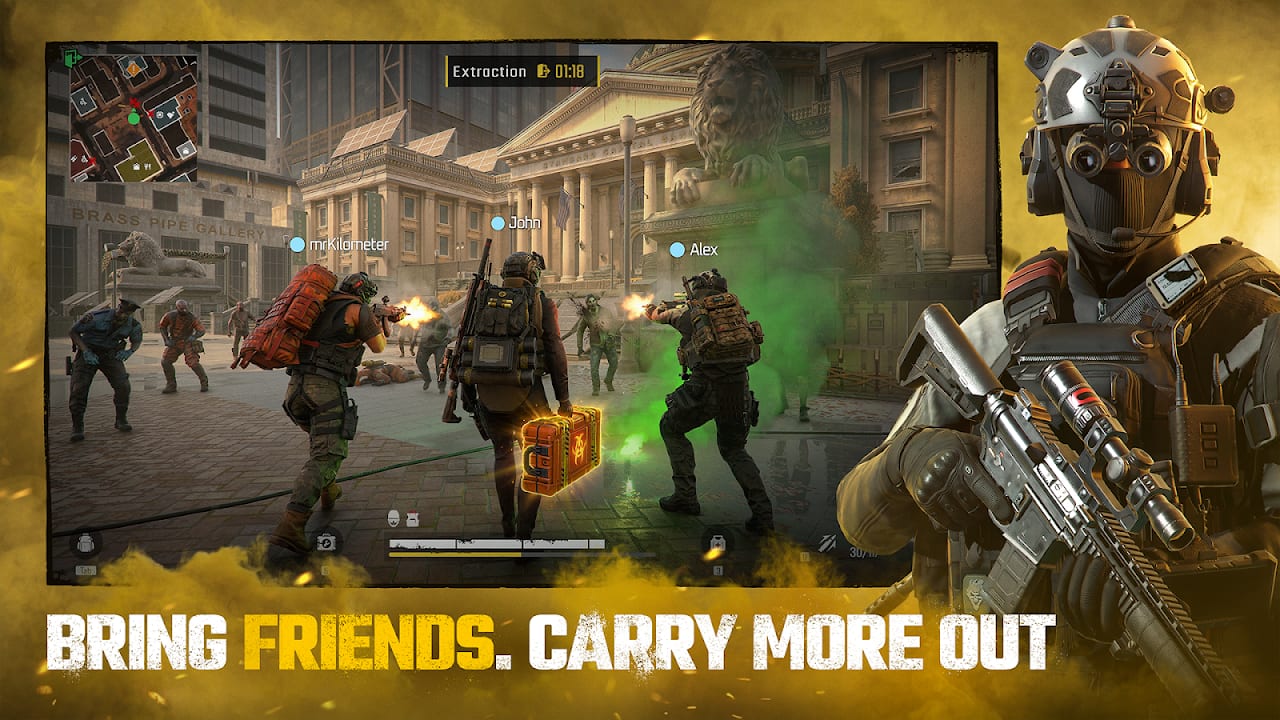
Extraction shooters punish hitching as hard as they punish greed. 30 Days: Outbreak is a free-to-play third-person PvPvE zombie shooter from Plarium Global Ltd, and the soft launch / first Alpha in Poland and Ukraine already shows real-device friction: a large install, mobile thermals, and player reports of frame rate often sitting around a ~40 FPS cap. This Performance Tips page collects practical habits for Android and iOS scavengers—plus emulator cross-links—without pretending Plarium published a final PC spec sheet.
Use it with PC Emulator, Controls, and Alpha Test Window. Soft launch progress may wipe; performance tweaks will not preserve a stash, but they will preserve cleaner extracts while the test runs.
Storage and install reality
Gameplay channels have reported installs around ~3.11 GB for package com.plarium.outbreak30days, plus patch overhead during Alpha.
Before you blame “the game is broken”:
- Free well more than 3.11 GB—updates need headroom.
- Prefer internal storage over overloaded SD arrangements when your device allows.
- Clear unused app caches if the store fails mid-download.
- Reboot once after a fresh install before sensitivity tuning.
- Confirm you are on the official listing paths from Soft Launch Access and the Links Hub.
Running out of storage mid-session causes the worst kind of death: the kind where the client stutters while a scavenger pushes your extract.
FPS and Alpha expectations
Player reports during Alpha often describe frame rate capped around ~40 FPS. Important nuance:
- A soft cap is not the same as “my phone always hits a perfect 40.”
- Thermal throttle can drop you below whatever target you think you have.
- Emulators can show different limits than phones.
- Final release settings are unconfirmed—do not treat Alpha footage as ship promise.
What to do anyway:
- Lower shadows, effects, and resolution-scale options first.
- Cap or unlock FPS only within settings that keep thermals stable—chasing uncapped frames that immediately throttle is a trap.
- Prioritize stable input over peak fireworks in menus.
- If UI and aim feel soft, test after a five-minute cool-down; heat lies.
Thermal habits that save extracts
Mobile TPS sessions + high brightness + long loot menus = heat.
- Remove thick cases during serious raids if safe for your device.
- Avoid charging while playing when the phone is already hot.
- Drop brightness; use headphones instead of max speakers.
- Take a two-minute break between failed extracts—tilt plus heat doubles mistakes.
- Do not leave the client running in a hot car “queue.”
When armour breaks and frames hitch together, abort to extract. Pride is not a cooling system. Pair this mindset with the Extraction Guide.
Network and session stability
PvPvE third parties already punish slow peeks. Add packet loss and you donate kits.
- Prefer stable Wi-Fi with low congestion over flaky public networks when possible.
- If you must use mobile data, avoid underground elevators and handoff-heavy trains during contested extracts.
- Close background uploads (cloud photo dumps) before deploy.
- In co-op, call “lag” early so teammates do not rely on your peeks—see Co-op Squad.
- If rubber-banding starts, bank a safe extract instead of forcing a crowbar room.
Alpha netcode can change quickly. Track Soft Launch News for player-facing fixes rather than installing random “network booster” APKs.
Settings checklist (practical order)
- Storage free and client updated.
- Graphics down one step from max; retest after a raid.
- Sensitivity tuned after FPS stabilizes—see Controls.
- Audio up; music down. Footsteps matter more than bloom.
- Background apps closed.
- Notifications muted so loot animations are not interrupted by chat popups.
- Power mode: prefer balanced performance modes over extreme battery savers that tank CPU mid-fight.
Re-test after switching between phone and tablet, or after a major OS update.
Emulator cross-link
Some scavengers practice on PC/Mac via Android emulators. Emulators introduce their own bottlenecks: host RAM, virtualization, GPU drivers, and allocated cores.
- Read the full PC Emulator guide for clean Play Store installs and keybinds.
- Allocate enough RAM/CPU to the instance, then stop adding chrome overlays that steal frames.
- Cap emulator FPS if host heat causes input stutter.
- Regional store rules still apply; emulators are not a global unlocker.
- Wipe risk is identical to phones.
If official communications later discourage emulators, follow Plarium over any wiki tip.
Gameplay choices that feel like “more FPS”
Not every hitch is a graphics problem:
- Overfilled bags mean more menu time under fire—use Loot & Backpack swap-not-fill habits.
- Optional horde clears create longer particle-heavy fights—leave when the objective is met (Missions & Story).
- Stacking three teammates in one doorway multiplies chaos on screen—spread roles in Co-op Squad.
- Learning kits reduce the emotional need to force impossible peeks on a warm device (Best Loadouts).
Discipline lowers both deaths and thermal load.
Soft launch reminders tied to performance
- Regions: Poland and Ukraine; platforms: Android + iOS.
- Test window chatter points at late November with wipe risk—Alpha Test Window.
- No confirmed public codes will fix frame time.
- Support: tps.support@plarium.com for genuine client bugs; include device model and OS.
Quick pre-raid performance ritual (60 seconds)
- Check free storage.
- Feel the phone—if already hot, cool first.
- Close background apps.
- Confirm headphones.
- Deploy with a written objective so you are not looting menus for twenty minutes straight.
Related pages
Stable frames will not replace bad decisions, but unstable frames will waste a perfect kit. Cool the device, free the storage, lower the glitter, and extract while the client still listens to your thumbs.
Frequently Asked Questions
Quick answers to the most common soft launch questions.
How large is the 30 Days: Outbreak download?
Gameplay channels have reported roughly 3.11 GB for the soft launch package. Leave extra space for Alpha patches.
Is the game locked to 40 FPS?
Player reports during Alpha often mention frame rates around a ~40 FPS cap. That is an Alpha observation, not a confirmed forever ship setting.
What should I lower first when the phone gets hot?
Shadows, effects, and resolution scale. Drop brightness, remove thick cases if safe, and avoid charging while playing hot.
Do emulators fix performance?
Sometimes they help on a strong PC, sometimes they hitch. Follow the PC Emulator guide and allocate RAM/CPU carefully.
Can performance tips prevent a wipe?
No. Wipes are server-side. Tips only keep the client more playable while the Alpha runs.
Where do I report serious client bugs?
Contact Plarium support at tps.support@plarium.com with device model, OS, and clear reproduction notes.