
30 Days: Outbreak Controls Overview
Touch layouts and combat habits for Plarium's zombie extraction shooter.
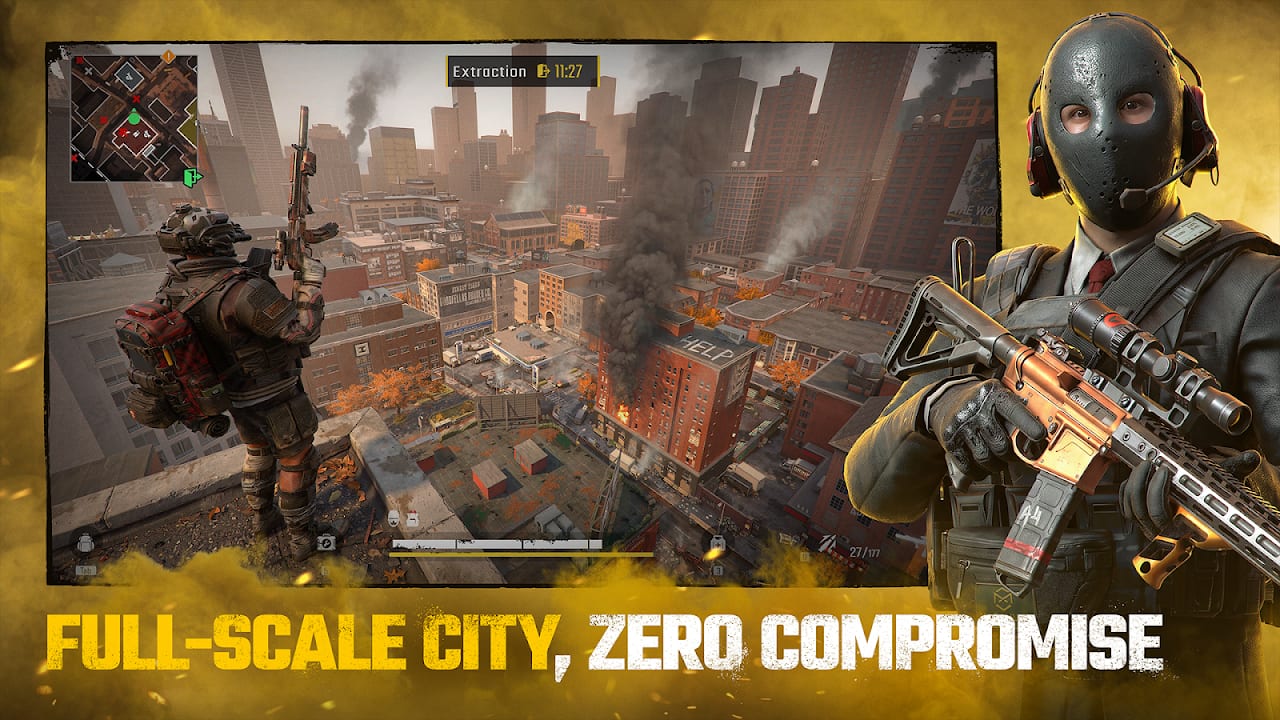
Third-person shooters on phones win or lose on thumb discipline. 30 Days: Outbreak is a free-to-play PvPvE zombie extraction title from Plarium Global Ltd, and early walkthroughs show a familiar mobile TPS grammar: virtual stick movement, right-side look/aim, fire and ADS buttons, plus contextual interact prompts for loot and extract. Exact icon art can change during soft launch, but the habits below transfer cleanly.
Use this page with Getting Started and the Extraction Guide. If you play on an emulator, map these same actions in the PC Emulator guide instead of inventing a PC-only scheme.
Soft launch control expectations
During Alpha in Poland and Ukraine you may see:
- Sensitivity sliders for look and ADS
- Separate hip-fire and aimed fire behaviours
- Sprint / crouch / prone or slide toggles depending on build
- Reload, melee, and consumable hotkeys on the right cluster
- Interact prompts for doors, containers, teammates, and extract zones
- Optional gyroscope on supported devices
Plarium can rearrange HUD density after telemetry. Learn functions, not pixel positions.
Core control clusters
Movement (typically left side)
- Virtual joystick for walk/strafe
- Sprint toggle or push-to-sprint on the stick
- Crouch to reduce profile and noise signature
- Jump/vault where level geometry allows
Habit: stop sprinting before corners you have not cleared. Infected and scavengers both punish loud entries.
Camera and aim (typically right side)
- Drag to look
- ADS button to tighten spread and zoom slightly
- Fire button independent of ADS on many mobile TPS layouts
- Optional gyro for micro corrections while ADS
Habit: peek with camera before committing your body model. Third-person gives information—use it.
Combat utilities
- Reload on a deliberate button—not only on empty click
- Melee for silent finishes on isolated infected when safe
- Quick-slot medkits / armour repair kits / stims
- Weapon swap between primary and sidearm
- Ping or marker tools in co-op builds when available
Habit: reload behind cover after every meaningful burst. Empty mags in the open are how third parties win. Tutorial guidance also highlights repair kits restoring armour durability—bind or remember the consumable slot before contested peeks.
World interaction
- Tap prompts to loot containers
- Hold-to-search if the build uses timed looting
- Crowbar / breach interacts on locked doors that lead to chests (bring the tool when that is the plan)
- Extract interact once you reach a safe exit volume—and stay in the evacuation zone until the timer ends
- Squad revive or assist prompts in co-op
Habit: clear audio before you lock into a long loot or crowbar animation. Locked-door noise is a beacon—see Loot & Backpack and Missions & Story.
Sensitivity setup (practical starting point)
Every device pixel density differs, but a workable soft launch baseline is:
- Set general look sensitivity so a full horizontal swipe turns roughly 120–180 degrees.
- Lower ADS sensitivity 20–40% from hip look for controllable bursts.
- Enable gyro at low strength only after you can track without it.
- Disable overly aggressive auto-fire if it dumps ammo into corpses.
- Increase UI scale only until buttons remain reachable without covering sightlines.
Re-test after switching from phone to tablet or emulator.
Combat habits that matter more than HUD skins
Infected crowds
- Backpedal while firing; never let a pack surround you in a doorway you cannot exit.
- Prefer short controlled bursts from ARs; save shotguns for funnel chokepoints.
- Melee only when you are sure no scavenger is watching the noise.
Role choices for guns live on Weapons Tier.
Rival scavengers
- Assume every gunfight is audible across the block.
- Pre-aim common hallway angles while your teammate loots.
- Disengage if you win the first trade but your armour is shredded—extract value beats a second duel.
Co-op specifics
- Call reloads, medkit use, and repair-kit use.
- Do not stack in the same doorway model.
- Assign who watches stairs while who crowbars or interacts with extract.
- Full squad habits live on Co-op Squad.
Accessibility and comfort
- Play seated with thumbs free; claw grips help some players but tire faster.
- Take breaks—soft launch sessions plus high brightness cause aim drift from fatigue.
- Use headphones. Spatial audio cues beat any button skin.
- If inputs stutter, lower graphics before blaming the control scheme—see Performance Tips.
Emulator note
Keyboard and mouse can feel sharper, but touch UI may still expect on-screen buttons. Map WASD to the left stick, mouse to look, and dedicated keys to ADS/fire/reload/interact/crowbar. Details and system baselines are on PC Emulator.
Practice routine (15 minutes)
- Two minutes strafing around cover without shooting.
- Three minutes hip-fire vs ADS on static props or safe infected.
- Five minutes loot-and-listen drills: open a container (or practice a quiet crowbar interact), pause, identify audio.
- Five minutes extract walk: move from mid-map mindset to exit, enter the evacuation zone, and wait the timer without greed fights.
Then run a real learning raid with a cheap kit from Best Loadouts.
Related pages
- Getting Started
- Extraction Guide
- Loot & Backpack
- Missions & Story
- Co-op Squad
- Districts
- Best Loadouts
- Guides Hub
Clean inputs will not replace bad decisions, but bad inputs will waste a perfect kit. Master the thumbs first—then let the districts test your nerve.
Frequently Asked Questions
Quick answers to the most common soft launch questions.
Does 30 Days: Outbreak use a first-person or third-person camera?
It is a third-person shooter. The camera sits behind your scavenger, which helps with peeks and situational awareness.
Should I turn on gyroscope?
Optional. Start with touch-only aim, then add low gyro for micro adjustments once your base sensitivity feels stable.
Why do I keep losing gunfights with full magazines?
Often sensitivity or reload timing. Lower ADS sens, peek with camera first, and reload behind cover after bursts.
How do crowbars and repair kits show up in controls?
Crowbars use world interact prompts on locked doors. Repair kits sit in consumable / quick-slot clusters like other healing utilities—exact icons can shift in Alpha.
Are controls identical on emulator?
Actions match, but bindings differ. Map movement, look, ADS, fire, reload, and interact explicitly—see the PC Emulator guide.
Will the HUD change during soft launch?
Likely. Alpha builds iterate. Learn what each button does rather than memorizing one screenshot layout.