
30 Days: Outbreak Soft Launch Access Guide
Regions, stores, package ID, and what Alpha availability really means.
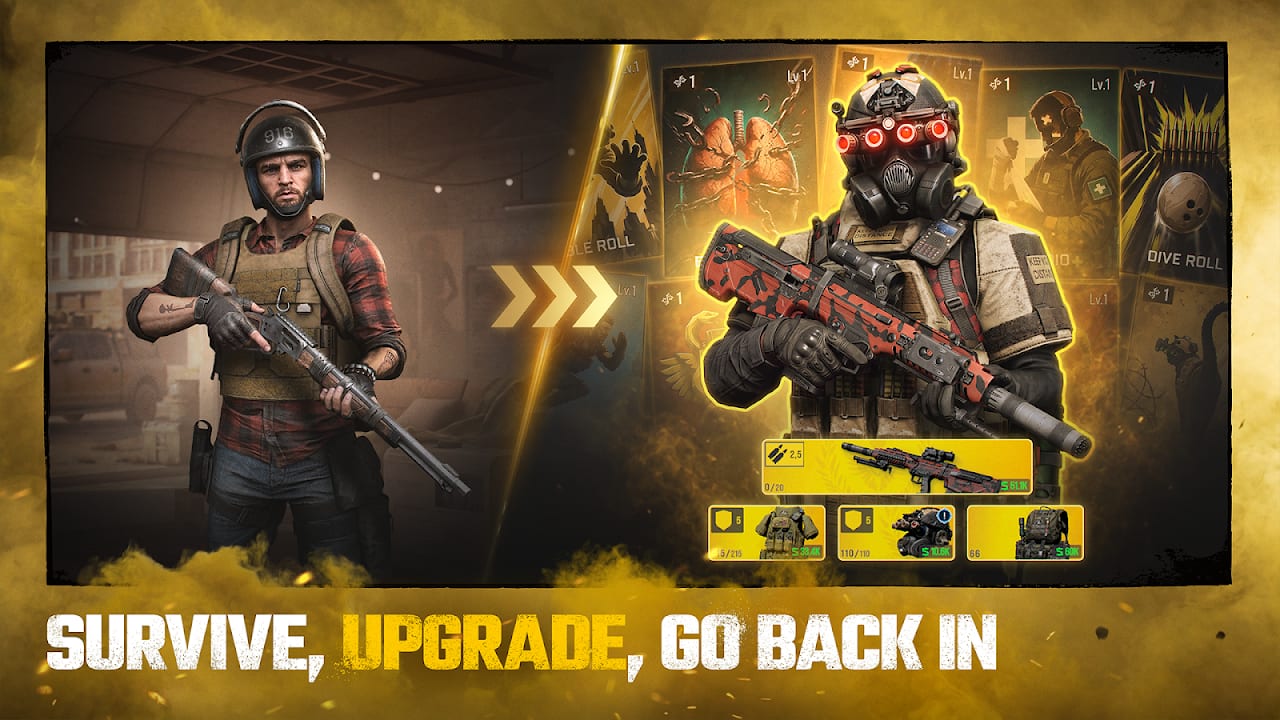
30 Days: Outbreak entered soft launch / first Alpha around 18 November 2026 in Poland and Ukraine on Android and iOS. Plarium Global Ltd is using these markets to test servers, pacing, and the free-to-play third-person zombie extraction loop before any wider rollout. A global release date is not confirmed.
This guide explains how soft launch access typically works, what the official package ID is, and how to think about VPNs or region switching without treating ToS circumvention as a tip list. If you cannot see the store listing, you may simply be outside the test footprint.
Official identifiers
- Title: 30 Days: Outbreak
- Publisher: Plarium Global Ltd
- Android package:
com.plarium.outbreak30days - Google Play: Store listing
- Social: @30DaysOutbreak
- Support: tps.support@plarium.com
Also bookmark the Links Hub and Soft Launch News roundup.
What “soft launch” means here
Soft launch is a limited commercial test. Players in selected countries can download a live build while Plarium watches crash rates, matchmaking, economy sinks, and monetization. Features can change quickly. Text, UI, and balance may not match a future global build.
Expect:
- Region-locked storefront visibility
- Possible queue or capacity limits
- Incomplete localization in some menus
- Progress wipes during or after Alpha
- Patch cadence that feels faster than a mature live game
Do not plan long-term stash goals until Plarium publishes a keep policy.
Platforms and regions
| Item | Soft launch detail |
|---|---|
| Countries | Poland, Ukraine |
| Android | Live via Google Play when account region matches |
| iOS | Live via App Store in the same test markets when visible |
| Genre live test | PvPvE extraction with infected + rival scavengers |
| Modes | Solo and online co-op |
If your Play/App Store account is registered outside PL/UA, the game may not appear in search even when friends in-test can install it. That is normal soft launch behaviour, not necessarily a broken link.
How to check availability (legit paths)
- Open the official Play Store URL on a device signed into your main Google account.
- Confirm the package ID matches
com.plarium.outbreak30days. - On iOS, search the App Store while signed into an Apple ID whose country/region matches a test market.
- If the listing is missing, you are likely outside soft launch—not “shadowbanned.”
- Follow @30DaysOutbreak for expansion news instead of installing random APK mirrors.
Sideloaded packages that promise “global unlock” are a malware and ban risk. This wiki will never recommend them.
VPN and region switching — general information
Players often ask about VPNs or creating foreign store accounts to join soft launches. Important context:
- Store region is usually tied to payment profile / account country, not only the VPN exit node.
- Changing account country can break purchases, family sharing, or library entitlements.
- Using VPNs or mismatched accounts may conflict with Google, Apple, or Plarium terms.
- Even if a download succeeds, matchmaking, payments, and support eligibility can fail.
- Soft launch builds may wipe; circumventing access for temporary progress is a poor trade.
This page explains why the listing might be hidden. It does not encourage violating store or publisher terms. The sustainable path is waiting for official region expansion while learning systems from public footage and this wiki’s Guides.
Download size and device prep
Gameplay channels have reported installs around ~3.11 GB. Before you commit:
- Free storage with headroom for patches
- Use stable Wi-Fi for the first download
- Update GPU drivers if you plan to try an emulator (see PC Emulator)
- Charge the device; long raids plus high settings drain batteries fast
What to do after you install
- Complete onboarding and note extract UI locations.
- Follow Getting Started for a day-one checklist.
- Practice touch combat with Controls.
- Run short learning raids using a cheap kit from Best Loadouts.
- Track wipe talk on Updates.
Spending during Alpha
If the shop is live, treat purchases as high risk. Soft launch economies reset often. Prefer cosmetics you enjoy for the test window over power you might lose. Keep store receipts and contact Plarium support with clear device and region details if billing fails.
Related pages
- Soft Launch News
- Getting Started
- Codes Hub (no confirmed public codes yet)
- Official Links
- Guides Hub
Soft launch access is a privilege for test markets and a waiting room for everyone else. Play clean builds, expect wipes, and let Plarium announce the next regions—do not chase shady APKs that end your account before the real launch arrives.
Frequently Asked Questions
Quick answers to the most common soft launch questions.
Which countries can download 30 Days: Outbreak right now?
Soft launch / first Alpha is live in Poland and Ukraine. Other regions should wait for official expansion announcements.
Is it on both Android and iOS?
Yes. Soft launch covers Android and iOS in the test markets when the listing is visible to your store account.
What is the Android package name?
com.plarium.outbreak30days — verify it on the official Google Play listing.
Can I use a VPN to play outside Poland or Ukraine?
Store access usually depends on account region, not VPN alone. Changing regions can break terms or purchases. This guide does not recommend ToS violations; wait for official rollout when possible.
Will soft launch progress wipe?
Alpha and soft launch tests often wipe progress. Assume resets are possible until Plarium states a keep policy.
Where do I get help if the download fails?
Confirm region eligibility first, then contact tps.support@plarium.com with platform, account region, and device details.